Legal IPTV Subscription Checklist 2026: What to Check Before You Buy
Use this 2026 checklist to compare a legal IPTV subscription, verify device support, understand pricing, and choose a provider with confidence.
Published by the channelmoa editorial team. This article provides general streaming setup guidance and distinguishes device or regional variables where they apply.
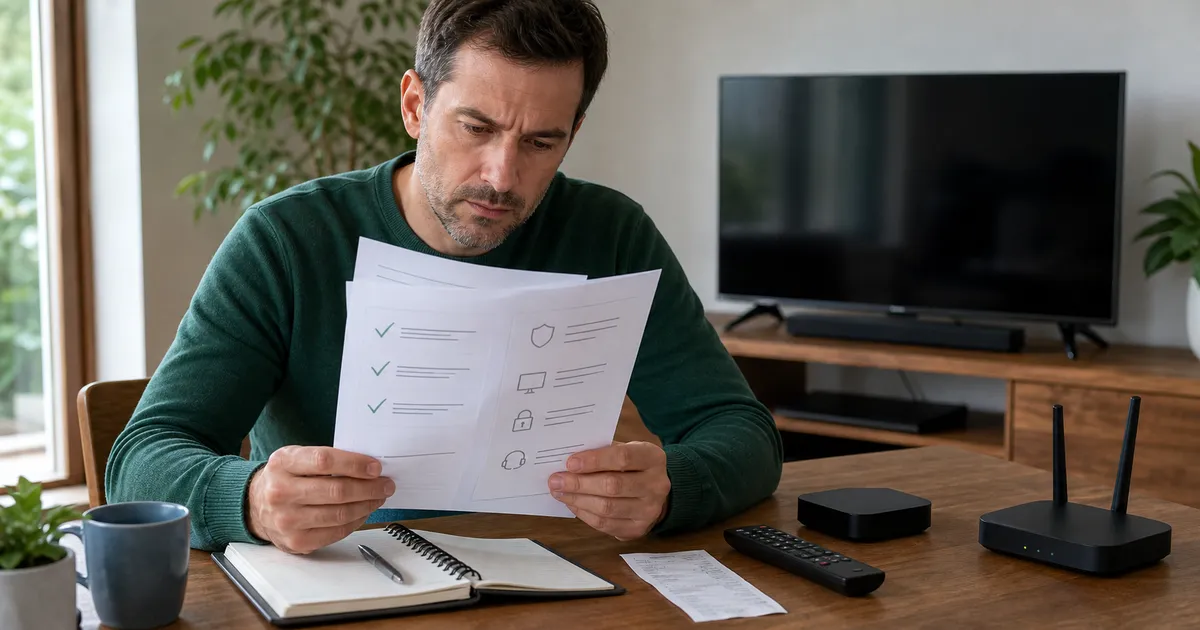
Start with proof, not a channel count
A dependable IPTV subscription should be easy to explain before money changes hands. The provider should identify what the package includes, where service is offered, which devices are supported, how long activation usually takes, and what happens when setup fails. A giant channel number is not a substitute for those basics. In 2026, a sensible buyer evaluates the service operation as carefully as the entertainment catalog.
Legal IPTV streaming also depends on distribution rights and location. Availability can differ by country, package, and event, so responsible providers avoid universal promises. Ask whether programming is offered under applicable rights in your region and read the terms. If a seller refuses ordinary questions, pressures you to pay immediately, or describes implausible access, treat that behavior as a warning rather than a bargain.
A five-minute trust check
Look for a consistent brand, a working website, clear contact details, privacy and terms pages, package durations, and a support path that exists before purchase. Search the provider name and confirm that the payment recipient matches the business you are speaking with. Save the order confirmation and package description. channelmoa presents its service, package choices, device guidance, and support routes in one place so customers can review the full journey before requesting activation.
Ask how renewal notices, account credentials, and refunds or cancellations are handled. Do not send passwords for unrelated accounts or unnecessary identity documents. A streaming provider normally needs your selected plan, compatible device, and contact details—not access to your email inbox, banking login, or home router administration.
A practical buyer also wants a clear explanation of activation time, support hours, and the first-login experience. If a provider only promises “instant access” without explaining how credentials are delivered or what to do if a device fails to open the app, that omission is part of the risk profile.
Match the subscription to the screen you actually use
Device compatibility is more specific than a logo on a sales page. Write down the exact television model, operating system version, available storage, network connection, and preferred remote. An IPTV app that works well on a recent Android box may not exist in an older Smart TV store. Browser playback, mobile playback, and living-room playback also create different navigation and decoder requirements.
Before selecting a long plan, confirm the recommended app and whether account credentials use a username and password, a portal, or another supported sign-in method. Ask how many devices may be registered and how many may stream at once. Multi-device support does not automatically mean unlimited simultaneous sessions, and misunderstanding that distinction is a common source of login errors.
Test the complete viewing routine
A useful evaluation covers more than opening one channel. Check startup time, remote navigation, favorites, subtitles where available, the electronic program guide, search, VOD resume behavior, and switching between live and on-demand content. Test in the room and at the hour when you normally watch; a midday phone test says little about evening Wi-Fi at the television.
Record the app name and version after setup. If support is needed later, those details are far more useful than saying the service is slow. The channelmoa apps guide explains the preparation expected across common device families, while the services overview clarifies the supported viewing workflow.
For first-time buyers, it helps to imagine the full routine: signing in, opening the guide, running the first live program, pausing and resuming content, and finding the app again after a restart. A provider that has already thought through that routine is often more reliable in everyday use.
Compare price, activation, and support as one package
The lowest advertised price can become expensive if activation is unclear or support disappears. Compare the total term, currency, device allowance, renewal price, setup assistance, and any stated limitations. A three-month plan and a twelve-month plan should not be compared only by their headline totals; calculate the monthly equivalent, then decide whether the longer commitment fits your confidence in the setup.
Activation expectations should be realistic. Ask what information is required, which time zone support uses, and how credentials are delivered securely. Keep screenshots of error messages but hide passwords when sharing them. Professional support should be able to separate an account problem from an app, device, or network problem instead of repeatedly issuing new credentials.
The final buyer checklist
Before buying, confirm these points in writing: legal availability for your location; exact plan duration and price; compatible app and device; simultaneous-use rules; EPG and VOD expectations; activation window; renewal process; and a reachable support channel. Run a network test at the viewing device and leave enough free storage for app updates. Then choose the shortest term that reasonably matches your confidence and viewing plans.
A trustworthy best IPTV service decision is rarely based on one flashy feature. It comes from transparent expectations, a stable setup, sensible security, and help when conditions change. Use the channelmoa package comparison only after completing the device and trust checks above.
Finally, review the decision with anyone who shares the account. Confirm the main screen, expected viewing hours, accessibility needs, and who will manage renewal. Household agreement prevents a technically sound purchase from failing because the chosen app is awkward for the person who uses it most.
Check the legal and payment safety layer before you pay
A responsible legal IPTV buyer should treat payment and account security as part of the service quality. The provider should explain what information is required to activate the plan, how credentials are delivered, where renewal notices come from, and what happens if the account needs to be reset. Those details matter because a service can look polished while still leaving customers exposed to weak support, unclear billing, or mismatched expectations.
From a practical standpoint, buyers should keep records of the plan name, billing currency, payment method, confirmation message, support contact route, and the date the account is expected to activate. This creates a paper trail for disputes and helps separate an account issue from a device or network issue.
Protect your account from day one
Do not send passwords for unrelated services, banking portals, or email accounts. A legal streaming provider generally only needs the selected plan, device type, and contact details needed to process support. If a seller asks for unnecessary credentials, that is a major warning sign and should change your decision.
Use a payment method that provides a clear transaction record and, where possible, a direct support route. Keep screenshots of the order summary and any plan description. If the provider changes terms after checkout, that change should be visible in the communication trail rather than buried in a vague message.
A buyer who enters a setup question into support should also know where the provider is located, which time zone it uses, and whether support responses are expected within a few hours or over a longer business window. That expectation affects how much stress a first-week setup creates.
Review the EPG, VOD experience, and first-week usage
The best plan is not only the one that opens on launch day. It is the one that still feels clear and usable after the first week of viewing. Review how the electronic program guide behaves, whether channels appear in the expected order, and whether playback resumes smoothly when you switch between live events and on-demand items. A provider that offers an impressive catalog but a poor navigation experience can still disappoint.
For many first-time buyers, the difference between a good and bad service shows up in the simple actions: browsing categories, finding favorites, switching back to live TV, and bringing up the guide after a restart. These details reveal whether the provider has built the service around real households rather than only around a sales page.
A practical first-week checklist
Spend a little time testing the service on the exact device you plan to use most often. Check if remote navigation feels natural, whether subtitles work where expected, and whether channel names match the service description. Also note whether VOD items begin from the expected point and whether the app remembers the last place you watched.
If guide data is delayed, channel categories feel inconsistent, or playback starts slowly after a restart, that information should be part of your buying decision. A provider that offers clear guidance about these behaviors is often easier to trust than one that promises a perfect experience without explaining how it is supported.
A simple example helps: a first-time buyer may choose a longer plan because the price looks attractive, only to discover that the app is awkward on the TV remote and support takes too long to resolve a guide issue. The buyer who checks those details in advance avoids that trap.
Use a pre-purchase checklist before you commit
A buyer who wants confidence should make a pre-purchase checklist instead of relying on a headline claim. That checklist should cover legal availability, device support, activation expectations, payment transparency, support accessibility, package duration, and the expected quality of the first viewing session. The goal is not to make the decision more complicated; it is to avoid paying for surprises later.
The best examples are simple and specific. A first-time buyer may write down the TV model, exact app name, support contact route, package term, and the time they expect to test the service. A more experienced buyer might also compare the same plan on a phone, a box, and a television to understand how the experience changes by device.
Red flags and practical examples
Red flags include vague terms, pressure tactics, unsupported claims, refusal to explain the device workflow, unclear renewal terms, and a support route that only exists after payment. A legitimate provider should be willing to answer practical questions before checkout, not just after a purchase has been completed.
A useful example is a household buying for a family room television. The buyer should ask whether the app is comfortable with a remote, whether the guide works on that screen, and whether support can diagnose a startup problem without requiring a fresh install. Those questions are more useful than a generic promise of “many channels.”
When the checklist is completed, the final decision becomes easier. The buyer is not just choosing a provider; they are choosing a setup path that fits the real device, budget, support expectations, and household routine.
Turn the checklist into a real decision record
A good buying process ends with a written note that captures the decision, the device, the package, the support route, and the first test result. That record helps a buyer compare offers later and helps support if a setup problem appears after purchase. It also makes the buying decision feel more deliberate and less emotional.
The note does not need to be long. A short document with the device model, plan term, support route, and planned test time is often enough to create clarity. The value is in turning vague interest into a practical plan.
A buyer example that works
Imagine a first-time buyer who wants a legal IPTV subscription for a Smart TV and a phone. The buyer writes down the exact TV model, the app name, the support contact path, and the first test date. That simple record creates a concrete standard for follow-up and helps the buyer compare the service with other options in a fair way.
The point is not to overcomplicate the purchase. It is to make the decision measurable enough that the buyer can tell whether the service actually met the expectations that led to the purchase in the first place.
A due-diligence worksheet for comparing providers
A useful comparison records evidence before it assigns value. Work through these checks in order, keep the provider's written answers, and judge the complete customer journey rather than a single sales claim.
Define the household requirement
A buyer often starts with a provider's catalog and adapts expectations afterward, which makes every large offer appear suitable. List the country, main device, secondary screens, accessibility needs, normal viewing hours, preferred content categories, and realistic monthly budget before contacting anyone.
Evidence to collect: A good match can answer each requirement without changing the subject to total channel numbers or an urgent discount. Decision rule: Reject plans that cannot confirm the main screen, regional availability, or simultaneous-use rule in writing.
Verify the commercial identity
A polished landing page alone does not establish who will activate the account, receive payment, or answer a renewal question. Compare the domain, brand name, contact details, payment recipient, privacy notice, terms, and messages sent by support for consistency.
Evidence to collect: Save the package description and order conversation with the date, currency, duration, and promised setup route visible. Decision rule: Pause when checkout introduces a different identity or support requests unrelated passwords and personal documents.
Ask a rights-aware question
Streaming availability depends on territory, content owner, package, and time; universal access claims ignore those practical limits. Ask whether the programming you care about is offered legitimately in your location and where applicable limitations are explained.
Evidence to collect: Responsible answers acknowledge regional differences and avoid guaranteeing every premium event or broadcaster everywhere. Decision rule: Treat evasive answers, piracy language, and implausible access promises as disqualifying risks rather than added value.
Inspect the full price
Headline pricing can hide the renewal amount, device allowance, activation delay, or extras needed to make the service usable. Put term length, total price, monthly equivalent, concurrent sessions, supported app costs, renewal process, and cancellation terms into one table.
Evidence to collect: The comparison should remain understandable without verbal explanations from a salesperson and should match the final order confirmation. Decision rule: Choose a shorter commitment when compatibility or support quality has not yet been demonstrated on the real device.
Test support before purchase
Support quality is easiest to promise before payment and most important when an app, device, network, or account later fails. Send one precise compatibility question that includes the exact device model and observe the accuracy, security, and clarity of the response.
Evidence to collect: Useful support identifies the intended setup path, explains account limits, and does not request access to unrelated accounts. Decision rule: Do not assume a quick greeting equals technical competence; score whether the answer actually resolves the question.
Complete a renewal review
A successful first login does not prove that guide updates, maintenance, billing communication, and long-term support will remain clear. After several weeks, review playback consistency, app usability, household fit, support records, and whether delivered terms match the original description.
Evidence to collect: Record incidents by date and symptom so one temporary network problem is not confused with a persistent service issue. Decision rule: Renew only when the legal, technical, and commercial evidence still supports the decision at the current price.
What a careful buyer should confirm before checkout
Treat the package page as the beginning of due diligence, not the complete answer. Copy the plan name, duration, total charge, currency, device allowance, simultaneous-use limit, activation expectation, and renewal arrangement into a short note. Ask support to clarify any missing item before paying. This record is useful if a later message uses different terms, and it prevents a household from assuming that several registered devices may all stream at once. Transparent providers should be comfortable confirming ordinary commercial details without pressure or vague countdown tactics.
Trust signals should connect across the entire customer journey. The domain, business name, contact route, privacy notice, terms, payment recipient, order confirmation, and support identity should describe the same operation. A professional-looking homepage cannot compensate for a checkout name that nobody can explain. Check whether support answers a precise device question accurately and whether it protects account secrets. Never provide an email password, banking login, router administrator password, or identity material that is unrelated to activating a legitimate streaming account.
Refund and support expectations deserve the same attention as content categories. Ask what happens if the recommended app is unavailable for the exact television model, if credentials arrive but cannot authenticate, or if the household misunderstood a device limit. Distinguish a refund policy from a promise that every network or device problem will be refundable. Save the stated process and response hours. The strongest policy is one written clearly enough that both customer and support can apply it without reconstructing a sales conversation weeks later.
Device checks should cover the complete routine rather than a logo list. Confirm the operating system, app-store availability, storage headroom, login method, remote navigation, guide support, subtitle behavior, and whether an external player would be more maintainable than an aging television platform. For EPG and VOD expectations, ask how often guide data normally refreshes, whether time-zone adjustment is supported, how search and favorites behave, and whether resume features depend on the selected app. Availability can vary by authorized package and region, so avoid universal assumptions.
Before renewal, repeat the checklist using actual experience. Review activation accuracy, account security, app stability, household usability, support outcomes, and whether authorized availability matched the written description. One temporary Wi-Fi incident should not dominate the decision, but repeated unexplained failures should not be ignored either. Date each incident and note the affected device and connection. A renewal decision built from evidence is more reliable than either frustration after one outage or loyalty to an introductory price that no longer represents the current service.
Sources and further reading
Related channelmoa resources
FAQ
What is the first sign of a trustworthy IPTV subscription?
Clear terms are the strongest starting signal: the provider explains pricing, duration, device rules, regional availability, activation, and support before payment.
Should I buy the longest plan for the lowest monthly cost?
Only after confirming the service on your real device and network. A lower monthly equivalent does not help if the app or household setup is unsuitable.
How do I evaluate legal IPTV streaming?
Review the provider's terms, ask about rights and regional availability, and avoid sellers making implausible universal-access claims.
What should I send support when setup fails?
Send the device model, app name and version, connection type, time of the issue, and a password-free screenshot or exact error message.
Choose a plan after the checks are complete
Share your device and viewing needs with channelmoa, confirm compatibility, and then select the subscription term that fits.